Private Network Access / Local Network Access Issues
April 20, 2026Elecmonkey
This article was translated by AI and has not been manually reviewed.
Problems Caused by PNA
Initial Launch: There Was a Prompt, but It Did Not Affect Use
The story starts with a strange bug. When deploying a temporary internal business system, due to limited computing resources, we chose to deploy the frontend under a subpath of domain A and the backend under a subpath of domain B. Since both A and B were internal services, in theory both should be reachable inside the intranet and unreachable outside it, so I did not think too much about it from beginning to end.
After launch, I briefly noticed that when jumping from the login entry into the frontend of this system, the following prompt would appear:
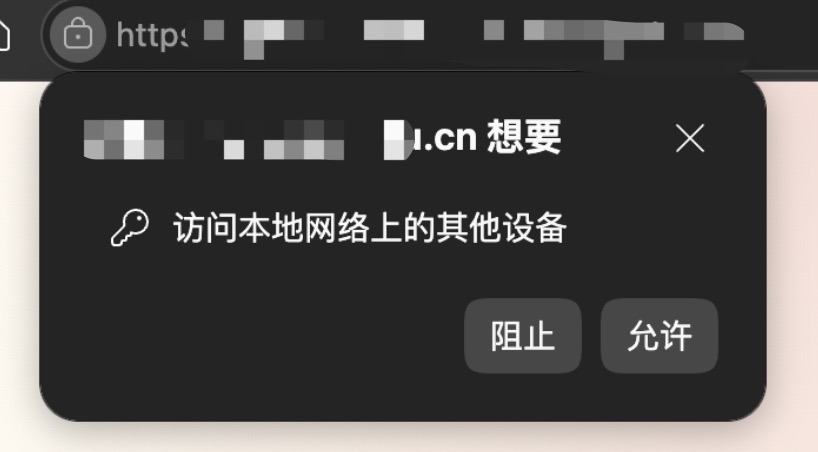
Although I did not understand the reason, I did not think too much about it at the time. This prompt did not affect normal use, and the business pages after login had no issues.
One Week Later: All APIs Failed for Some Users
One week after launch, someone reported that no matter how they refreshed the system, it did not work properly. All APIs failed with Failed to fetch; the request information in the Network tab showed CORS errors, and the console printed error messages related to Private Network Access. Since the deployment decision during development was cross-origin deployment, the backend definitely returned the correct CORS response headers. So I was forced to pay attention to this issue I had never heard of: PNA.
Why This Topology Triggers PNA
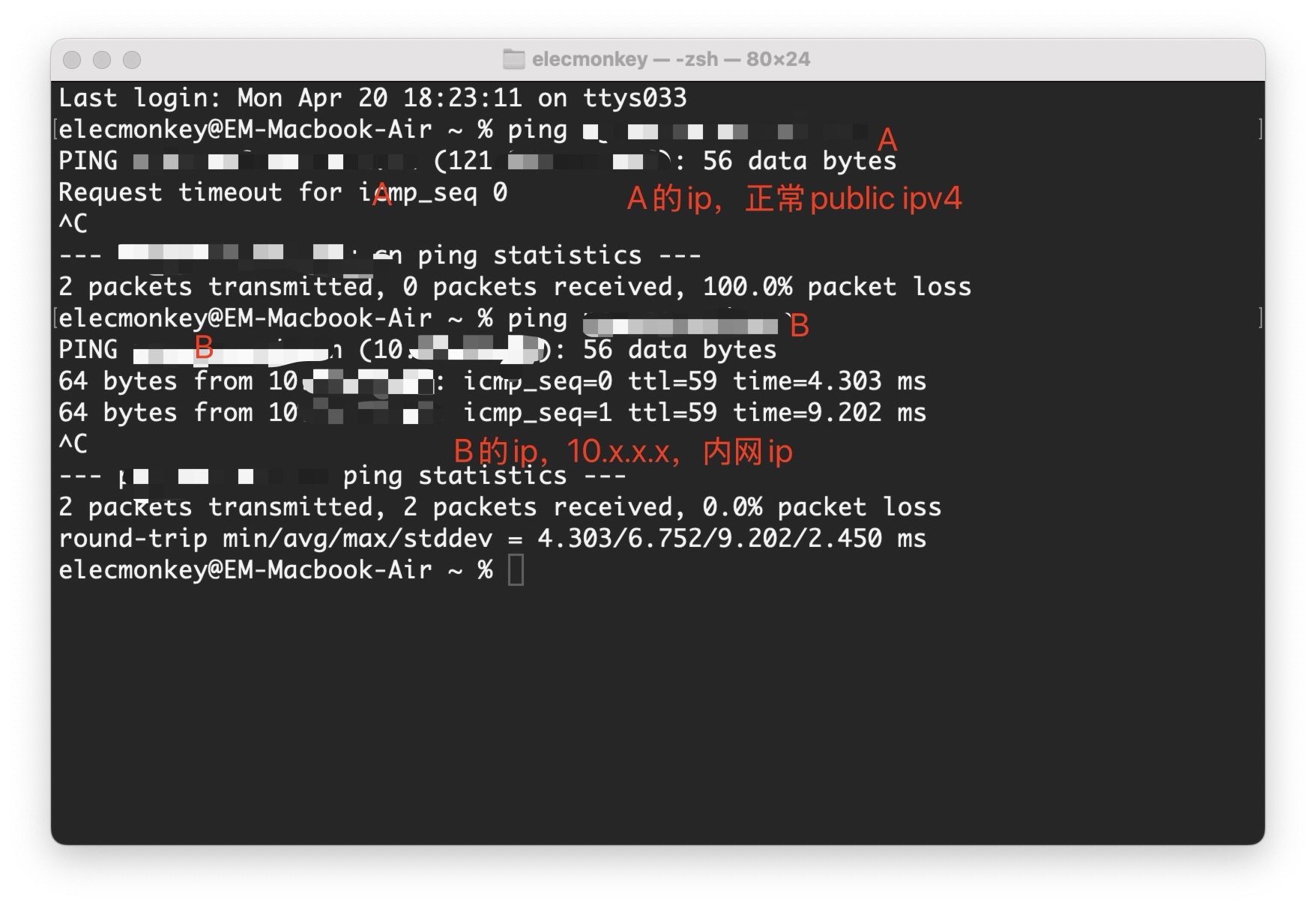
A Looks Like an Internal System, but Is a "Public Address" from the Browser's Perspective
Simply put, A is a system with a relatively long history. The school's IT department had once opened it for external network access. As security policies became stricter over the past few years, external access was shut down. But probably to avoid breaking the operation of existing systems, the result of resolving domain A in the internal DNS is still the original external IP. In other words, A being "intranet-only" is not inherently determined by the network topology; most likely, some firewall step intercepts and filters traffic.
B Is a Typical Intranet Host
B was an intranet server from the beginning, holding an internal IPv4 address. In this scenario, the browser considers A a public address and B an internal address, so A accessing B becomes a case of crossing from the public network into the private network. According to Chrome's PNA mechanism, A accessing B is blocked by default.
Why the CORS Solution Is Unstable Here
The Theoretical Solution: Add Access-Control-Allow-Private-Network
One solution given by AI was to have Nginx add Access-Control-Allow-Private-Network: true to all OPTIONS responses.
What Actually Happened: Chrome Directly Showed a User Permission Prompt
Unfortunately, my Chrome did not seem to send a preflight request in this scenario at all. Instead, it popped up a dialog asking for user permission. A script loaded from a public-network origin requesting an intranet host address does carry security risks, and that is fine. But if we want to avoid security risks, whose consent should be requested: the user's, or the target server's?
At least according to Chrome's historical security policy design principles, Chrome officials clearly have not thought users have good judgment. If the target server believes it was "intentionally designed" to be requestable by external origins, or by certain specific external origins, then I think this process should no longer be considered a security risk. As for those "certain specific external origins", that is currently implemented through the CORS protocol. If we must obtain the target server's consent in PNA scenarios, adding fields on top of the existing CORS protocol is obviously the optimal choice.
Evolution of Chrome's PNA/LNA Mechanism
- In the early PNA period (Chrome 94-123), Chrome used a CORS-based server authorization model and controlled access through
Access-Control-Allow-Private-Network; - During the Chrome 124-141 transition period, user permission prompts were introduced;
- Starting from Chrome 142, Chrome officially shifted to the Local Network Access (LNA) model, changing to a user-authorization-centered approach and no longer relying on preflight requests. As a result, servers can no longer solve the problem simply by adding CORS headers.
But then again, Chrome ultimately chose the user authorization model and no longer relies on preflight requests. This issue becomes very awkward. Obviously, even I was confused when I saw "access other devices on the local network" and had no idea what it meant. I could only emphasize to users who encountered the problem: if the popup appears, please click Allow. As for those who already clicked Deny, I do not know, maybe switch browsers. In testing, WeChat seems not to block it.